Key takeaways
- Four desktop thermal-transfer label printers compared for growing online stores, with picks by ribbon capacity, resolution, print width and connectivity.
A growing online store rarely replaces its label printer because the old one stopped printing. The real decision is whether your product labels, FNSKU stickers and shelf tags still scan cleanly after months in a warm stockroom, a damp delivery van or a customer’s garage, and whether the printer keeps pace when a normal day jumps from forty parcels to four hundred. Direct thermal output fades and scratches; thermal transfer bonds ribbon ink into the label face, so the print survives handling, friction and time.


This guide is for marketplace sellers, Shopify and Etsy store owners, and small fulfilment teams who have outgrown entry-level shipping printers and now print labels that must last. Every pick below is a desktop thermal-transfer model chosen from the specifications stated on its Amazon product page: print method, resolution, ribbon capacity, media width and connectivity, with no assumptions added.
Quick Picks
As an Amazon Associate we earn from qualifying purchases
| Product | Best for | Key spec from title |
|---|---|---|
| Zebra ZD421t (ZD421 TT 74/300M) | A shared packing bench that needs network printing | 203 dpi, USB, USB Host, Ethernet, BTLE5 |
| TSC TE210 | Long ribbon runs on a single-seller desk | 203 dpi at 6 ips with a 300 m ribbon |
| Brother TD-4420TN | Stores tied to ZPL or EPL label software | 203 dpi, Fast Ethernet, USB, USB host, serial |
| Zebra ZD621t (ZD6A043-311F00EZ) | Tiny, dense labels that need fine detail | 300 dpi with peeler and NFC tap-to-print |
How to Choose
Ribbon capacity and core size
Ribbon length decides how often the printer stops mid-run. Short 74-metre ribbons on a half-inch core suit occasional product labelling, but a store printing hundreds of labels a day will swap them constantly. A 300-metre ribbon on a one-inch core cuts changeovers sharply and usually matches the yield of a full label roll, so ribbon and media run out together. Check both figures on the listing before buying: capacity is set by the printer’s internal spindle space, and a longer ribbon cannot be forced into a chassis built for short cores.
Resolution: 203 dpi or 300 dpi
Standard 203 dpi output is plenty for 4×6 shipping labels, carton labels and ordinary barcodes, and it prints faster than higher-resolution heads. Step up to 300 dpi when your labels carry small text or dense codes: cosmetics ingredients, jewellery tags, cable markers, supplement facts and tiny FNSKU stickers all stay legible at sizes where 203 dpi turns muddy. The trade-off is speed, since 300 dpi models in this class typically run slower per second. Match the head to your smallest label, not your largest, because the smallest one sets the readability limit.
Connectivity and printer language
A printer beside one computer only needs USB, but a growing store usually ends up sharing the machine across a packing bench, and that is where Ethernet earns its place. Printer language matters just as much: platforms and warehouse tools commonly send ZPL or EPL code, so a model that lists ZPL and EPL support, or emulation of them, drops into existing software without reworking label templates. Bluetooth Low Energy mainly helps with setup and phone-based configuration. Confirm the exact ports and languages on the listing, because the same model family often ships in several interface configurations.
Media width, roll size and handling options
Most online stores live on 4×6 shipping labels, so a print width a little over four inches is the baseline, with narrower product labels handled by adjustable guides. Internal roll capacity is the quieter limit: a chassis that holds a five-inch outside-diameter roll keeps changeovers reasonable, while very compact units may need an external holder for larger rolls. Peelers present each label ready to apply, which speeds hand-packing, and cutters suit tag stock. Buy the handling option fitted from the factory where possible, because retrofits vary by exact configuration.
The 4 Best Options
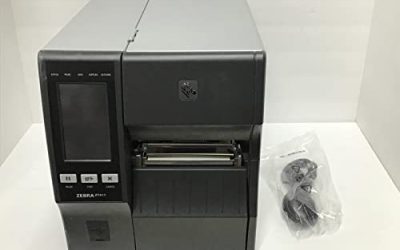
Zebra ZD421t Thermal Transfer Printer (203 dpi, Ethernet)
The ZD421t fits a store whose labelling has become a shared job rather than one person’s side task. Its listing leads with Ethernet alongside USB, USB Host and Bluetooth Low Energy, so the printer can sit on the network at the packing bench and take jobs from whichever computer is free. It runs both 74-metre and 300-metre ribbons, which lets a small store start with short ribbons for product labels and move to long ribbons as daily volume climbs, all on one machine with ZPL and EPL support for common selling platforms.
Specs
- Print method: Thermal transfer, 74 m / 300 m ribbon support
- Resolution: 203 dpi
- Maximum print speed: 6 in. per second
- Maximum print width: 4.09 in.
- Media width: 0.585 in. to 4.41 in.
- Connectivity: USB 2.0, USB Host, Ethernet, Bluetooth Low Energy
- Memory: 512 MB Flash, 256 MB SDRAM
- Printer languages: ZPL and EPL
- Dimensions: 10.5 in. L x 8.0 in. W x 7.44 in. H; 4.52 lbs
Best for: Growing stores that share one printer across a packing bench and print a mix of shipping and product labels.
Watch out for: This configuration is wired Ethernet rather than Wi-Fi, so place it within cable reach of your router or switch.
ASIN: B0CJRZC3VR
TSC TE210 Thermal Transfer Printer
The TE210 is the straightforward workhorse of this group, built around a 300-metre ribbon on a one-inch core that keeps a busy single-seller desk printing for long stretches between changeovers. It pairs that capacity with internal Ethernet, USB, serial and USB host ports, so it can start life plugged into one computer and later join a small network without replacement. Its TSPL-EZD language emulates EPL, ZPL, ZPL II and DPL, which makes it an easy drop-in for stores whose software already speaks Zebra-style code but whose budget points elsewhere.
Specs
- Print method: Thermal transfer and direct thermal
- Resolution: 203 dpi
- Maximum print speed: 6 in. per second
- Maximum print width: 4.25 in.
- Ribbon: 300 m on a 1 in. core; 72 to 110 m on a 0.5 in. core
- Memory: 64 MB SDRAM, 128 MB Flash
- Connectivity: USB 2.0, internal Ethernet, RS-232, USB host
- Media capacity: 5 in. outside-diameter roll
- Printer language: TSPL-EZD, compatible with EPL, ZPL, ZPL II and DPL
Best for: Solo sellers and small teams who print long daily runs and want the fewest ribbon changes.
Watch out for: There is no wireless option in this configuration, and the two-year warranty terms differ by region, so confirm coverage before ordering.
ASIN: B07G79WF8G
Brother TD-4420TN Thermal Transfer Desktop Printer
The TD-4420TN suits stores whose labelling software is already settled and not negotiable. Brother lists ZPL, ZPL II and EPL emulation alongside its own command support, so templates built for other printer brands usually run without redesign. Fast Ethernet, USB, USB host and a serial port cover both modern and legacy connections on the packing bench, and the chassis accepts ribbons up to 300 metres, keeping it in the same low-changeover class as the other networked picks here. A peel facility is built into the specification, which helps when staff apply labels straight off the printer.
Specs
- Print method: Direct thermal / thermal transfer
- Resolution: 203 dpi
- Maximum print speed: 6 in. per second
- Maximum print width: 4.25 in.; media up to 4.41 in. wide
- Connectivity: Fast Ethernet, USB, USB host, serial (RS-232C)
- Memory: 64 MB RAM, 128 MB Flash
- Emulations: ZPL, ZPL II, EPL, EPL2, DPL
- Ribbon capacity: up to 300 m
- Peel facility: Yes
Best for: Stores locked into ZPL or EPL label templates that need a networked desktop printer with a peeler.
Watch out for: The serial port serves older systems; if your setup is USB-only, you are paying for legacy connectivity you may never use.
ASIN: B0872GW91B
Zebra ZD621t Thermal Transfer Printer (300 dpi, with Peeler)
The ZD621t is the pick when labels get small and information-dense. Its 300 dpi head keeps tiny ingredient lists, jewellery price tags and compact asset labels readable where a 203 dpi printer starts to blur fine lines, and the fitted peeler presents each label ready for fast hand application during packing. The listing for this configuration, model ZD6A043-311F00EZ, includes USB, serial and Ethernet connections plus NFC tap-to-print for quick pairing during setup. It still handles standard 4×6 shipping labels, so one printer can cover both the parcel bench and the product shelf.
Specs
- Print method: Thermal transfer
- Resolution: 300 dpi
- Model number: ZD6A043-311F00EZ
- Connectivity: USB, serial, Ethernet, NFC tap-to-print
- Media handling: Peeler fitted
- Display: 4.3 in. colour touch LCD
- Label sizes: handles 4×6 shipping labels and narrow product labels
Best for: Stores printing small, detailed product labels alongside everyday shipping labels.
Watch out for: The 300 dpi head prints more slowly than the 203 dpi models above, and this configuration costs more than a store printing only shipping labels needs to spend.
ASIN: B09YT98187
Which One Fits Your Situation
You sell on one marketplace and print at one desk
Start with the TSC TE210. Its long ribbon, wired connections and broad language emulation cover the typical single-desk setup without paying for features aimed at larger teams. It handles 4×6 shipping labels and everyday product stickers at full 203 dpi speed, and the internal Ethernet leaves a clean upgrade path if a second computer joins the bench later.
Two or three people share the packing bench
Choose the Zebra ZD421t or the Brother TD-4420TN, both networked printers that accept jobs from any computer on the bench. Pick the Zebra if your software is ZPL-based and you want the larger memory for stored formats; pick the Brother if a built-in peel facility matters for hand-applying labels during packing. Either removes the single-computer bottleneck that slows dispatch at busy times.
Your product labels are small and text-heavy
The Zebra ZD621t is the one built for you. Cosmetic jars, supplement bottles, jewellery cards and cable tags all carry text that turns fuzzy at 203 dpi, and the 300 dpi head keeps it sharp at small sizes. The peeler also suits the apply-as-you-pack rhythm of small-item fulfilment, where labels are placed one at a time rather than in batches.
Your labels must survive storage and handling
Any printer here will do the job when paired with the right ribbon and label stock, because durability comes from that pairing more than the chassis. Use wax/resin or resin ribbon on synthetic labels for stock that faces moisture, friction or long warehouse stays. The ZD421t and TE210, with their 300-metre ribbon capacity, make that pairing cheapest to run at volume.
Common Mistakes
- Buying a direct-thermal-only printer for product labels, then watching barcodes fade or scratch off within a few months of storage.
- Ordering ribbon that is wider than the label stock or wound for the wrong core size, so it will not fit the printer’s spindle.
- Ignoring printer language: a model that cannot accept or emulate your software’s ZPL or EPL output forces you to rebuild every template.
- Choosing 203 dpi for tiny labels with dense text, then reprinting batches that scanners and customers struggle to read.
- Running wax ribbon on synthetic labels, which smears under friction; synthetic stock needs wax/resin or resin ribbon to hold the image.
Frequently Asked Questions
Can a thermal-transfer printer also print direct thermal labels?
Most desktop models in this class, including the TSC TE210 and Brother TD-4420TN listed here, print both ways. Run them without a ribbon for short-life shipping labels on direct thermal stock, then load a ribbon and suitable media when a label needs to last. Check the listing’s print method line, because a few configurations are transfer-only.
Which ribbon type should an online store use?
Wax ribbon is the everyday choice for paper product labels and shipping work, giving clean print at the lowest running effort. Wax/resin adds scratch and moisture resistance for labels that get handled often or stored in damp stockrooms. Full resin is reserved for synthetic labels exposed to chemicals, heat or outdoor conditions. Match the ribbon to the label material first, then to the environment it will face.
Will these printers work with marketplace and shipping platforms?
Yes, provided the printer language and label size line up. The models here accept or emulate ZPL and EPL, the languages most shipping and marketplace tools output, and all handle 4×6 labels. Install the manufacturer’s driver, set the label size in your platform’s print settings, and run the printer’s media calibration before the first batch.
How long do thermal-transfer labels stay readable?
Printed with a suitable ribbon on the right stock, thermal-transfer output stays legible for years rather than months, because the image is fused into the label surface instead of sitting in a heat-sensitive coating. Longevity still depends on the pairing: resin on synthetic stock outlasts wax on paper, and sunlight, solvents and abrasion shorten any label’s life. Choose the combination for the harshest condition the parcel or product will meet.